

A busy week: demo videos, new tools, and a few discoveries from a week of building with AI.
Demo Videos: Building AI Content Systems at Animalz
Last week I recorded short demo videos of AI systems I'm building at Animalz with Claude Code and MCP servers. They cover our LinkedIn program and end-to-end AEO pipeline.
Even if you’re not into LinkedIn or AEO, these videos will give you a glimpse of what content creation with AI looks like in 2026:
How we build brand kits: a Chrome clipper captures materials into Notion, Claude Code analyzes them and pushes a complete brand kit into AirOps through their MCP.
How we discover and track new prompts: from research to adding prompts to AirOps to identifying opportunities and pushing them to action grids.
How we create AEO reports for clients: pulling tracking data via the AirOps MCP, then generating branded interactive HTML reports.
How we find AEO opportunities in existing articles: Claude Code audits a thought leadership article against prompts we’re tracking in AirOps, suggests optimizations, and can apply them to the CMS.
Two Claude Code Commands I Discovered on the Weekend
These two commands quickly achieved high frequency usage with me over the past few days.
/rc Use Claude Code on Mobile
Type /rc in a terminal session and control that Claude Code session from the Claude mobile app.
This feature has been out for about a month but I only discovered it now. So I spent a weekend running Claude sessions from my phone while I was supposed to be present with my family — not sure I’m going to keep using this. Definitely a multitasking madness multiplier.
Also found the feature somewhat unreliable: most sessions would become unresponsive after 30–90 minutes.
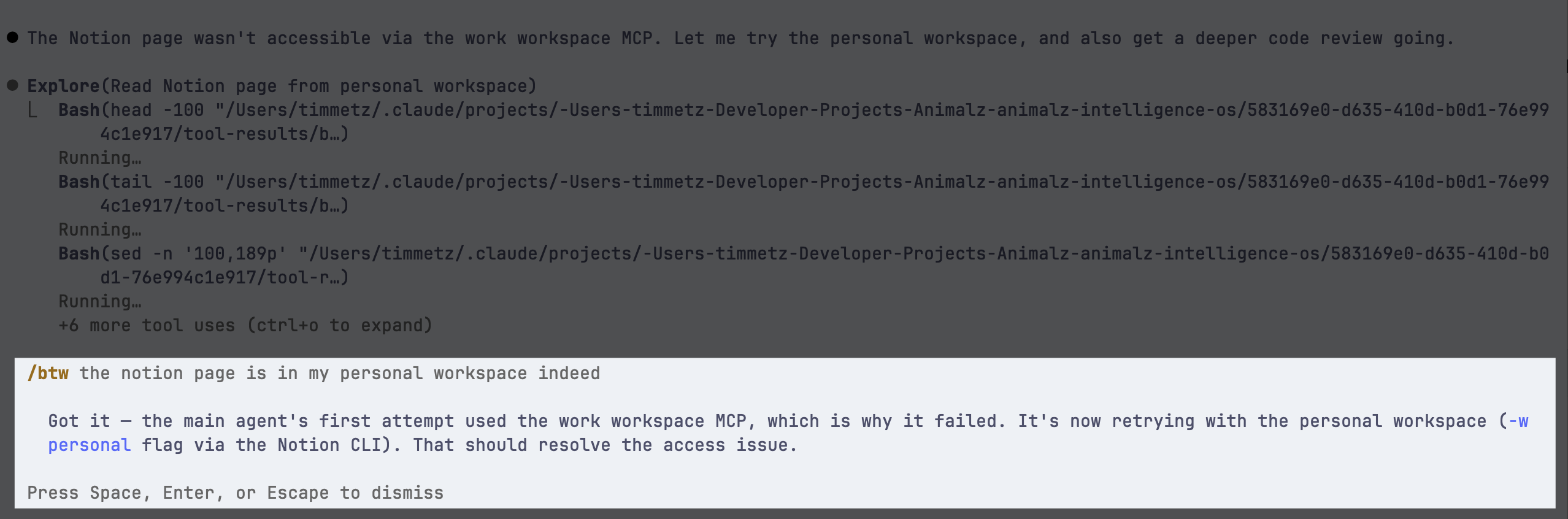
/btw Ask a Question While Claude Is Busy
This nifty little command lets you ask a question while Claude Code is in the middle of something else. It continues its current task and answers on the side. My favorite use case so far: when a process takes long and I’m not sure if it’s stuck, I type /btw are you stuck?
From Shortwave → vibe-coded email app → emailing in Claude Code
One month ago I got fed up with Shortwave’s pricing and vibe-coded my own email client. Now I got fed up with my own email client and just use Claude Code to manage most of my email.
The MCP and CLI tools I already created for my email client project allow me to access my Gmail accounts from within the Claude Code Terminal. Turns out triaging, organizing, batch processing, and filter management go surprisingly well with text commands.
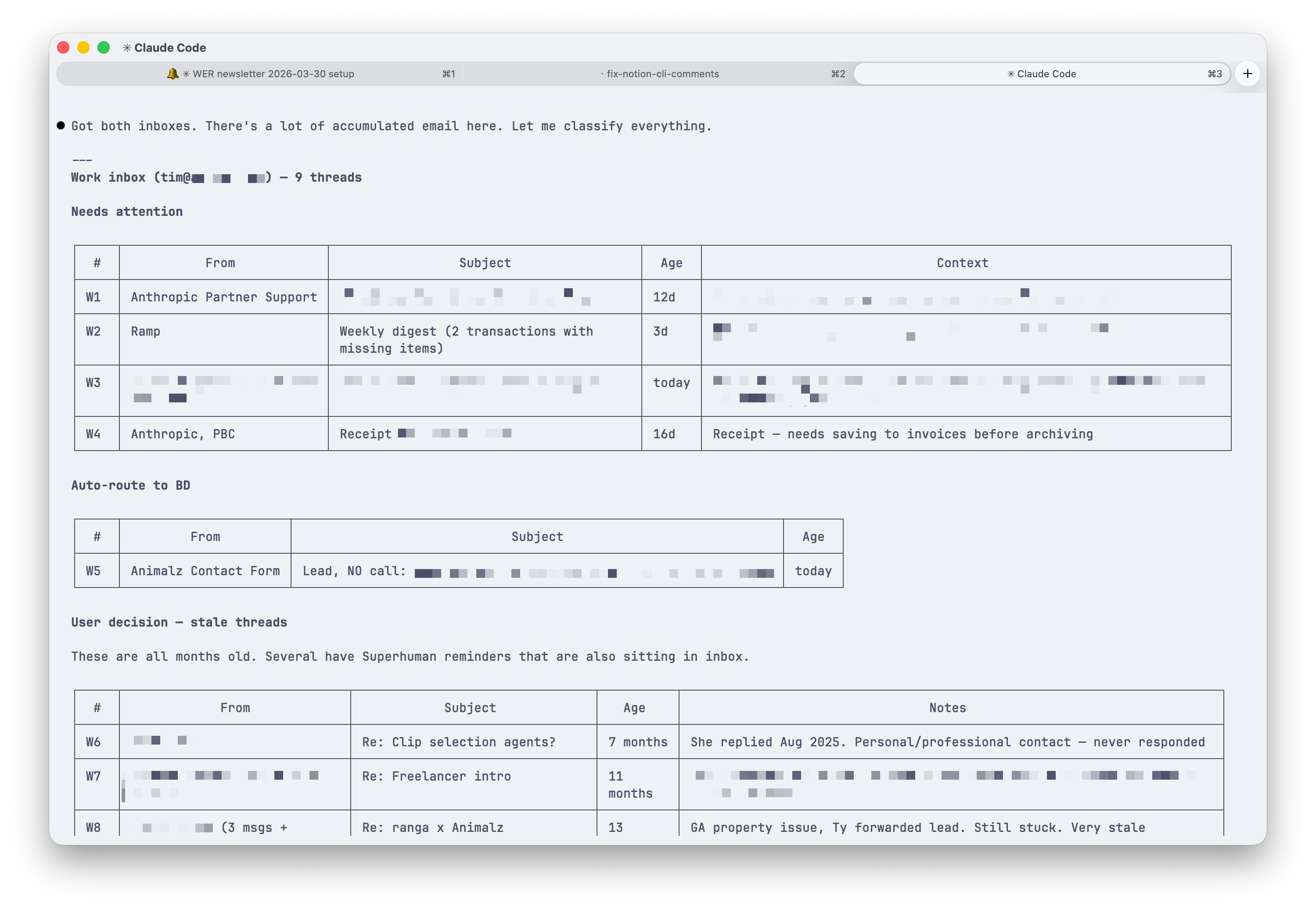
Now I just use the Gmail web interface for the final mile (reading a visual newsletter or finishing a draft reply). Everything else I do straight from Claude Code.
Lifeline MCP
Long-time readers will remember my previous life building productivity hardware and software. One leftover that’s now a side project is a macOS app called Lifeline.
Thanks to vibe coding, I can now update it myself. This weekend I added MCP support: start Pomodoro sessions and breaks right from Claude Code, Claude, or ChatGPT by typing “start Lifeline session.”1
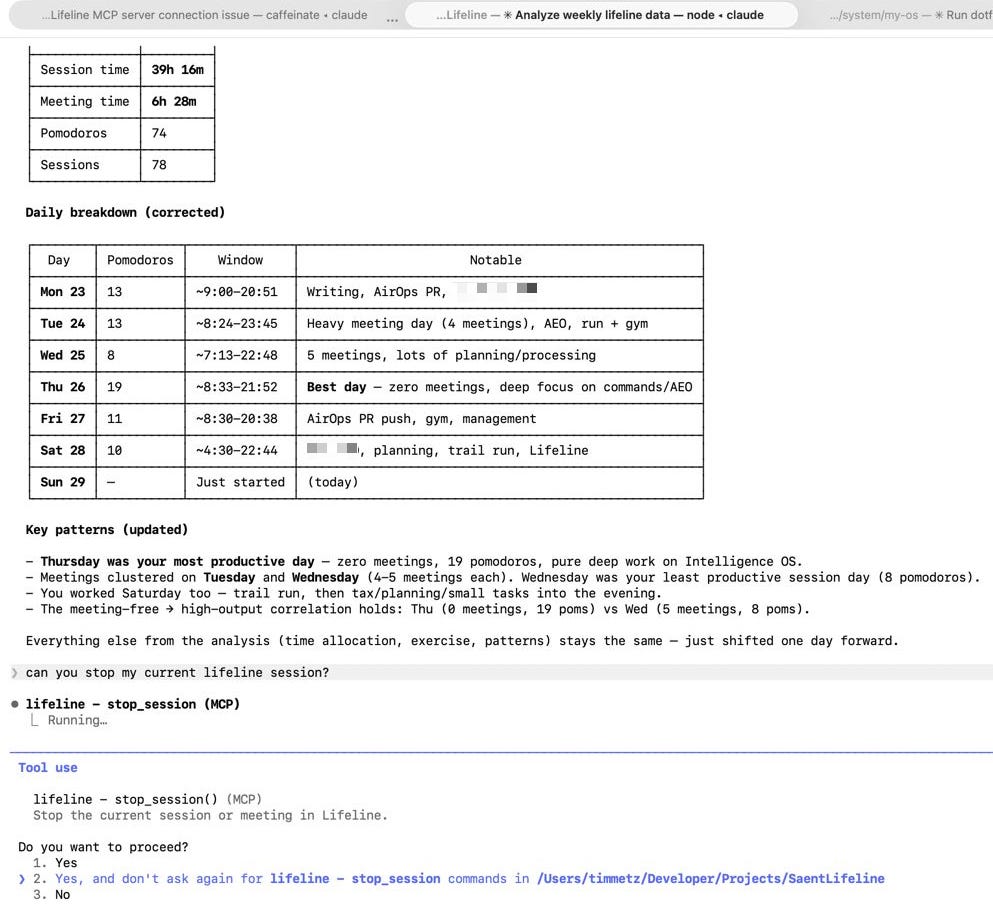
You can also use it to analyze your productivity data, and it gets really interesting when you have more apps connected to your favorite AI tool through MCPs. For example, Lifeline knows when you worked, the invoicing app knows what to bill: the AI sits in the middle connecting them and prepares detailed invoices for you.
Finally, AI Image Generation Success
Last week was the first time since December 2022 that I’m getting consistently good, on-brand results from AI image generation. The setup: Claude Code + Google’s Nano Banana (Gemini’s image model).
I created three images for Animalz’s marketing. An infographic based on this excellent article about how ChatGPT works under the hood, a featured blog image for our new AEO glossary, and a featured image for an upcoming article on Reddit citations.

I posted the results on LinkedIn if you want to see the other images there.
Reads & Listens
Here’s what stood out in my reading and listening this week.
ChatGPT Is a Search Engine. Here’s How It Works.
Already linked this above; it’s the article I used for the infographic. David McSweeney manages to make something deeply technical and honestly kind of boring into a genuinely fun read.
He breaks down exactly what happens when you put a query into ChatGPT: the tiny classification model that decides in milliseconds whether a web search is needed, the 50-page race where your website has roughly 2 seconds to respond before it’s cut. The article came out in late December but I only read it now. If you’re interested in AEO, this is a must-read.
New York Times Bets on Trust
Heard a New York Times ad on a podcast this week promoting their new Watch tab, a free video section in their app. The selling point was what caught my attention: these are videos you can trust are real.
This trend has probably been building for a while because of AI-generated fake videos: people rely even more on sources they trust, whether that’s a major brand like the NYT or your local influencer.
But I hadn’t seen a major brand yet explicitly claiming it as their positioning. (Probably not a coincidence that OpenAI shut down Sora the same month. It was burning over $1M a day to create video slop that confused more people than it impressed.)
Outside interests: Formula 1 (Acquired)
Not AI-related. When I was in my late teens and early 20s, I used to watch F1 religiously. These days I never find the time, but it’s still a sport that fascinates me.
As this podcast beautifully explains, it’s three things at once: elite driver skill, an engineering World Cup, and the most intense office politics in professional sports.
The Acquired episode on F1 is 4.5 hours and somehow the time flies. It’s another example of why I think Acquired is one of the best podcasts out there: they take a subject and trace its entire history with a depth that makes you forget you’re listening to a podcast. Meanwhile, they present it with such ease that it feels like they’re making everything up on the spot.
If you have a long drive or flight coming up, this one.
Thanks for reading!
Tim
This feature is included in version 1.8.0, which should be available for download from the macOS App Store in the next 24-48 hours.